Friday, February 7, 2014

21st Century Learners: Retiring the Book Report

Fellow blogger  +Kathy Kimpel  writes in her latest post, 21st Century Learners: Retiring the Book Report: "We need to retire the "Book Report" Common Core will ask student to "Analyze" not summarize."

Growing up in the 60's, my sisters and I wrote book reports every year, year after year, on the same book, The Pink Motel.  So much so that in our house, 'pink motel' became a euphemism for being a slacker.   We certainly did little more than DOK1.  


Kathy provides some great ideas for moving beyond the book report into more critical thinking with depth and complexity.  She addresses both digital and non-digital ideas for our students to demonstrate a meaningful interpretation of their reading.  With an iPad students can create podcasts, make trailers with iMovie, and use a variety of "show me" apps to create models of real comprehension, analysis and synthesis.

Friday, October 11, 2013

Our First Mystery Skype - by Guest Blogger CaLa


written by student blogger, CaLa:

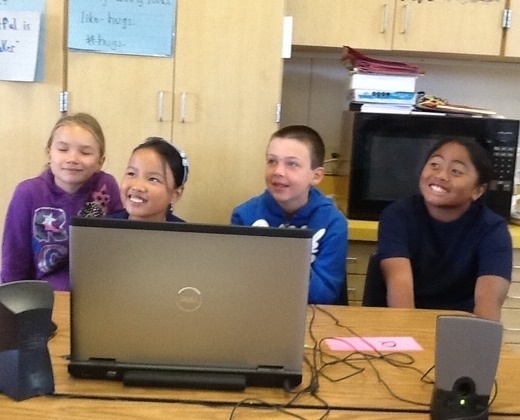
Our classroom had our first mystery skype with Mr. Salsich's class! If you're not sure what a "Mystery Skype" is, I'd be happy to tell you. A mystery skype is when two classes from a different place in the world, skype each other and ask yes or no questions to try and guess where the other class is. Our mystery skype was extremly noisy yet amazingly fun! 


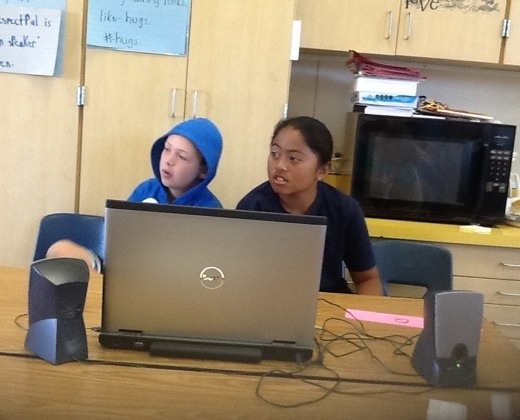
Recorders documented the call.

Our class asked lots of great questions along with Mr. Salsich's class. It went pretty great and we new they were on the edge of finding out where we were. Soon after a really great question from them... they had guessed what state we were in! They were so happy! We asked away again.... We definetly got a lot closer to their state too. We got closer and closer and closer! Then, they got us! They found out we lived in San Jose!! Congrats fellow skypers! You were awesome! We absolutley loved skyping with you!

We all worked hard to figure out where they were. We each had a specific job and we learned a lot. We learned about geography, how to work together and how to solve problems. We learned that each job is important. Where in the world will we #mysteryskype next?
We used our iPads to look up information.

20131010-121213.jpg
Getting good questions and answers!


20131010-121419.jpg

They got us! We live in California. The were are questioners and answers... asking and answering questions from Mr. Salsich's class. But there is still more to go! More questions! :)
20131010-121709.jpg
Hmm... What's the answer to this one? :l


ScoSch was a supervisor, helping to keep us on track.


Sunday, October 6, 2013

Our First Mystery Skype


Mystery Skype

Recently, my students participated in our first Mystery Skype.  According to the Skype education group, "Mystery Skype is an educational game, invented by teachers, played by two classrooms on Skype. The aim of the game is to guess the location of the other classroom by asking each other questions. It's suitable for all age groups and can be used to teach subjects like geography, history, languages, mathematics and science."

I had heard the term from my twitter PLC but hadn't really looked into it until one of my fellow Global Read Aloud participants, +Jonah Salsich , suggested Mystery Skype as a way to introduce our classes to each other.

We started by introducing the idea to our students.  We talked about the different roles and how important each job was to successfully guessing the location of our mystery Skype school.  We practiced with me secretly choosing a town I knew a little bit about, Duluth, MN, my mother's birthplace.  (It turns out I didn't know as much as I though, but google and Wikipedia were my coaches) my students, each in their assigned job, had to guess where I "was".  They had a lot of fun and learned what sort of questions were helpful. They also learned what sort of things they would have to know about our own location!

So we proceeded to refine our process, mapping out the workflow using Kidspiration, an app by Inspiration Software

Then we had our first mystery Skype!  The kids were so excited! Our greeters welcomes each class o the call without giving away details about our location.  My kids even wanted to keep the blinds drawn so the other class wouldn't see how sunny it was!  The questioners could only ask "yes/no" questions.  The filterer sent the answer back to the think tank through a runner.  The think tank decided what the next question should be based on the answer.  In our debrief, we decided that it would be helpful to have questions planned out like a flow chart...if yes, then.. If no then....

Our mappers were key to our guessing strategy.  They were really great at eliminating whole parts of the world based on answers.  They used the wall map, our Big Blue Nat Geo Atlas (complete with magnifier), and Google Earth & maps.

Our answerers had to prepared to answer yes/no questions about our location.  When they didn't know answers, the filters decided if they knew the answer or needed to send it via a runner to the think tank.  The think tank would use mappers and their own resources to research the answers.  We are lucky to have 1:1 iPads so our mappers and think tank could use the devices for their research.  Our note takers and recorders used Notes on the iPads and our tweeters tweeted with a teacher looking on while photographers used iPads to take pictures and movies. Could we have done it without the iPads? Of course.  Was it more authentic to use them? Absolutely.


Our Skype partners also posted about our Mystery Skype at http://salsich5.edublogs.org/2013/09/24/mystery-skype-call-san-jose-ca/ 

Some of our lessons learned included. 


What Qs were helpful?
  • ●  Are you north or south of some
    landmark, airport
  • ●  Does your state start with A
  • ●  Major water locations
  • ●  Time zone
  • ●  Longitude or latitude
Which ?? were not helpful?
  • ●  Are you near ____ - be more specific
  • ●  Guessing before we had enough
    information
What worked
  • ●  Greetings
    • ○  Memorizing greeting
    • ○  Script helped
  • ●  Cooperated well
  • ●  Runners and filtered worked well together
  • ●  Liked having assigned stations
  • ●  Using sticky notes and sticking with
    assigned locations
  • ●  Think tank stayed put which helped
    them work together
  • ●  Used a “battleship strategy”, narrow
    down area based on clues
  • ●  Paper mappers used landmarks well,
    magnifying glass worked well
  • ●  More practice helped, two cameras
    were good
  • ●  Reporter/notetaker located close to
    each other
  • ●  Note takers working well, mostly did our
    own jobs,
  • ●  At front table all did their jobs, runners
    did great
  • ●  It was noisy but people were working
    really hard
What suggestions for next time 
          ● Greetings
          ○ Louder voices for skypers, if memorized, still have script
           ●  One more runner for each Q and A
  • ●  Have questions prepared for both yes
    and no response
  • ●  Do more research about our own city,
    state, etc.
  • ●  Better way to call runners so we can get
    answers faster
  • ●  Answering in complete sentences
  • ●  Filters need a set of questions ready,
    that they can determine if appropriate
  • ●  Test technology ahead of time
  • ●  Video tape next time
  • ●  Reporters feed info to tweeters
  • ●  Suggestion to keep quieter so everyone
    could hear what was being asked
  • ●  one more supervisor – one for front
    table, one for TT and one for maps
Have a back up plan for people being absent TT = think tank, Q or ?? = questions
What didn’t work?
  • ●  We broke the first rule,
  • ●  Sometimes did not follow jobs
  • ●  Sometimes we didn’t know what ??s
    were being asked/answered
  • ●  TT and runners were arguing about Qs,
    Qs were not always prepared , hard to come up with Q when it was so loud and rushed

Monday, September 9, 2013

Oops on an iPad

I did not even notice this! Great to know!

There is an undo button when typing on an iPad!

Thanks Ben!


- Posted using BlogPress from my iPad

Friday, August 30, 2013

Why I love teaching #9 - Out of My Mind

Honestly, I don't know where it fits in the ranking, but this one is pretty high up there.  A little background is helpful.  My sister +Sharon Buehler is a school librarian in Oregon. She often gives me book recommendations and she knew of my inclusive education practices, so she suggested I read Out of My Mind, by Sharon Draper (OOMM). I bought it over a year ago but didn't get around to reading it, so I brought it to school to add to my classroom library.  Last year, one of my most reflective and deep readers asked what she should read, so I suggested OOMM. She came in the following Monday and said, "Oh Mrs. McConnell, you HAVE to read this book, and read it to the class, too!"  I dutifully took it home and added it to my summer reading stack.

Fast forward a bit to this past summer, and I read the book. In a day.  It was, to say the least, compelling. OOMM is an incredible story of inclusion and acceptance told from the eyes of a child.  I knew I would start my year reading it aloud to our kids.  About a week later, I stumbled across a tweet by +Pernille Ripp about something called The Global Read aloud (GRA), which she started a few years back. This year, the one book to connect the world, at least for my grade level, is OOMM! I knew we had to participate.  It is an incredible opportunity to share and discuss this powerful book with a wider group of students. Since I am super lucky to be a part of our 1:1 iPad program, I knew the kids would be able to easily collaborate and communicate with their 'colleagues' in other parts of the world using technologies such as +Edmodo , +Skype, +Kidblog  and even Twitter (with a teacher, of course).

I set about acquiring enough copies of the book for all 35 of our inclusive ed. kids to read. I co-teach +sheila monger who provides services to students with special needs.  Our kids are together every day for at least part of each day.

I ordered 5 copies with a B&N gift card I'd received at the end of the last school year. Then I went to my trusted fundraiser, Adopt-a-Classroom, and raised money to buy more books there. I put the word out via Facebook and my class web page.  One of my friends shipped me 12 books, just because she cares about public education and inclusion.  One of the parents of a student bought her daughter a copy and 2 extra copies for our classroom.  Gratefully, I should have enough books for each child to read their own copy.

Since we are participating in GRA13, I asked my kids not to read the book ahead of time (if they hadn't already) since we'd be making predictions with our global classmates.  Today, the child of the parent who bought the books for us came in and slipped this note on my desk.


 And this, my friends, is on of the many reasons I love teaching.


Wednesday, August 14, 2013

Notes from Edmodocon 2013

I attended this free PD in a hybrid mode - part online, part live, thanks to an invite from +Jill Florant It was amazing and I learned even more about my BFF  +Edmodo .  I created a storify to gather my thoughts, since most of my notes were on Twitter or in the various Edmodo groups.  Each session had its own group, so that we could back channel and get access to resources from the presenters.  It was a great day and well worth the break from summer vacation/back to school planning!

After I got home, I listened to the last two sessions on my exercise bike, so no notes but there were some great ideas from the presenters. +Anna Davila had some creative ideas for building student leadership capacity including new student groups and student leadership groups on Edmodo, and using +Padlet  embedded into a message, to gather suggestions.  In addition to the earlier discussed Global Read Aloud, there were some other creative ideas for flattening the classroom and finally, Denise Yamashita had inspiring remarks as we closed out the day.

Friday, July 12, 2013

My 11+1 Essential Tools for using Social Networking as Professional Development

"Real PD starts with wanting 2 learn Not with learning something once for one hour once a year Take control of your profession" Tim Charleston (@MrCsays)

In May, I presented at the iPARA Expo in Los Gatos, CA.  My topic was the opportunity that social media and networking provides for educators. I started with what I know...after some thought I realized I use at a minimum 9 different social media tools every week day!  I sure thought computers were supposed to simplify our lives!  Here is a screen shot of just the apps I use, not to mention the websites.


  1. edmodo - In addition to using +Edmodo to communicate with students and parents, I also use communities and groups to connect with other educators and learn about new ways to integrate technology with curriculum.
  2. Twitter - I read twitter like some people read the news. I check it daily to see what new things are going on with education and technology (#edchat).. In his post, Twitterati: Progressive EDU leaders or outliers?  Tom Whitby writes Today’s technological tools for collaboration now enable it globally, timelessly, and virtually endlessly. The key factor in good and effective collaboration is connecting with right sources. 
  3. Youtube is a great resource for teachers and students. I have not yet begun to tap into its vastness of instructional and professional development videos.
  4. Blogs - Not only do I write for reflection but I also follow several other bloggers in the field of education.  Grace from Teacher Learning Community suggests: Reflect on your work from time to time by blogging about your experiences. Decide what has worked and what hasn’t? What should you do different next time? You can always draw from other people’s expertise as well. Social media is all about collaboration, and what better way to do that then by teaching and learning from other passionate educators?  Then share your blog with your colleagues. Build a list of blogs to read for professional development purposes…and make sure you subscribe to them so you know when they’ve posted new content. There are many teaching related blogs out there.
  5. Wikis - I use wikispaces as a repository of information. Our current wiki is managed by a group of us involved in a 1:1 iPad pilot. 
  6. facebook -I do not use this yet for professional purposes but this year plan to use a professional page/profile for parent communications
  7. google + -   I find this a better source of professional information than facebook.
  8. diigo - social bookmarking -   Not only can I save my bookmarks for use from any machine, bt I can also see what others are bookmarking and find new and interesting 
  9.  Pinterest  Simply a great source of ideas!
  10. LinkedIn and Tioki, which is kind of like a linkedin for educators, connects users with job opportunities. 
  11. Edshelf -  -Find the right educational tools for your needs - Reviews and recommendations of tools for education
  12. This just in - Graphite, a recently launched resource from +Common Sense Educators, provides curated recommendations and reviews of educational apps and tools.


Jason Tomassini from Education Week  suggests via the Huffington Post that teachers check Twitter for hashtags related to education technology, elementary education, and 1-to-1 computing initiatives featuring iPads. He found what is certainly true for this teacher, that we use Facebook in our personal life but we aren't on Facebook with our "teacher hats on."  I know for me I am more likely to use a designed for teachers and not likely one frequented by my students, current or past.  I don't even accept friend requests from parents of my current students. I know they can see my posts in a roundabout way, but it is just a line I have drawn for myself.


Eric Sheninger, "online idea-sharing tools like RSS feeds, digital discussion forums, and blogs have the power to expand PLNs to previously unimaginable sizes. By using social media tools such as Twitter, social bookmarking sites, and social networks, educators can participate in the new era of professional development—an era of idea exchange that is accessible anywhere, anytime and that connects the field’s brightest minds. These tools are real-time, cost-effective, and accessible around the world, and they are driven by practitioners, not just consultants. 

Social media–facilitated idea sharing and online personal learning networks also bypass the challenges of traditional professional development, including time and money constraints, uninterested participants, and an overemphasis on irrelevant or boring content. 

 George Couros ‏@gcouros  "Connecting on Twitter has not only created higher expectations for myself in education, but for people in general. So much awesome out there"

Indeed!